Auto Replies
Auto replies match viewer comments against your keywords and answer with the configured response automatically.
Step 1. Enter the "Reply" page and create a new group
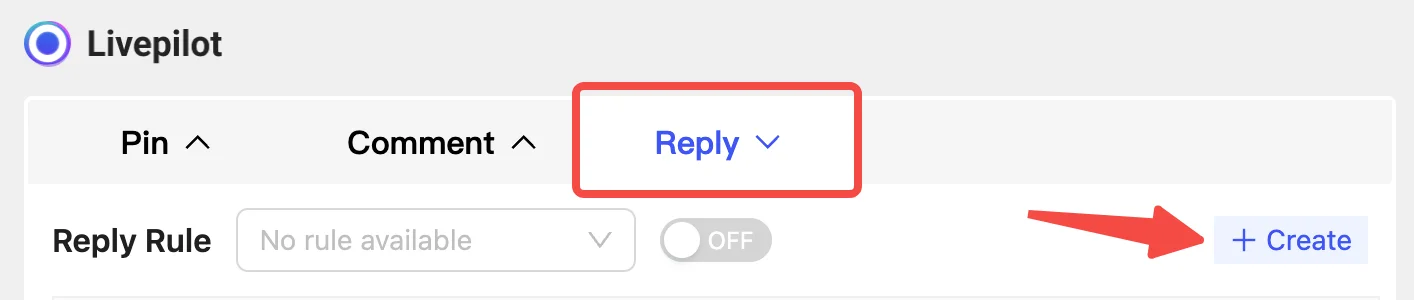
Step 2. Set the parameters
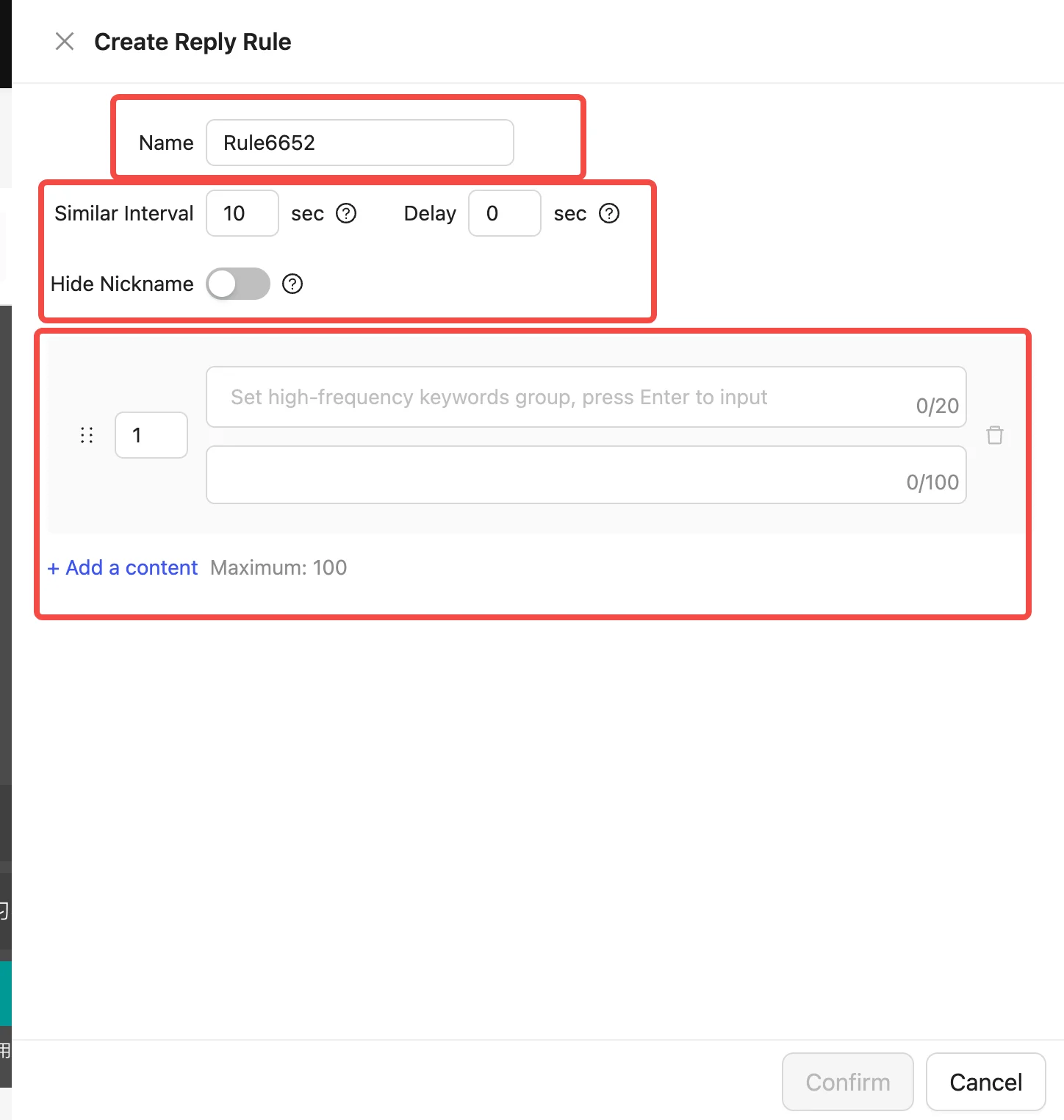
- Name: used to distinguish different reply groups.
- Group parameters:
- Similar interval: cooldown for identical replies — at most one reply within N seconds for similar questions.
- Delay: wait N seconds before replying (0 seconds may look robotic).
- Hide nickname: mask part of the viewer's nickname with "***" when replying.
- Reply contents:
- Each entry has two parts: keywords and the reply message.
- An entry can hold up to 20 keywords, separated by the Enter key; spaces are allowed inside a keyword. At runtime a reply is sent when a viewer comment matches any keyword.
- A reply message can hold up to 100 characters.
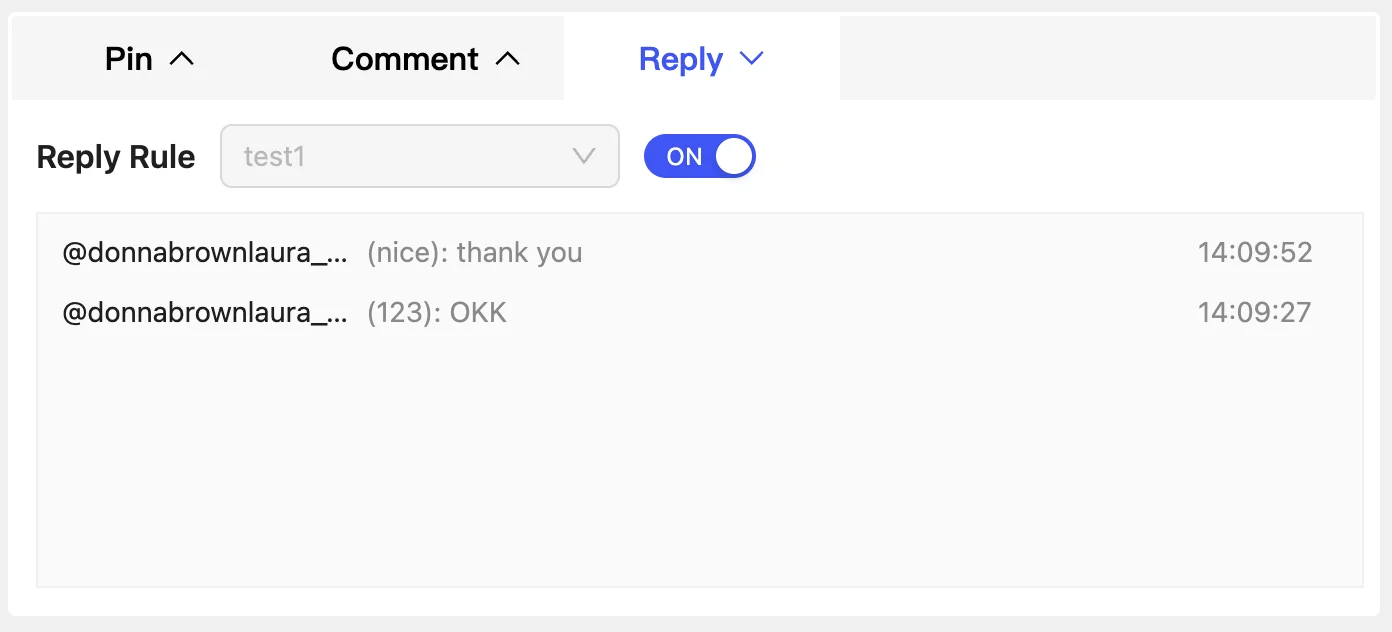
Step 3. Enable the function
Turn the switch on after the live stream starts and Cocodesk replies automatically based on the comments viewers post.