Auto Comments
Auto comments post your prepared messages on the rhythm you set — useful for announcing perks, rules or product highlights.
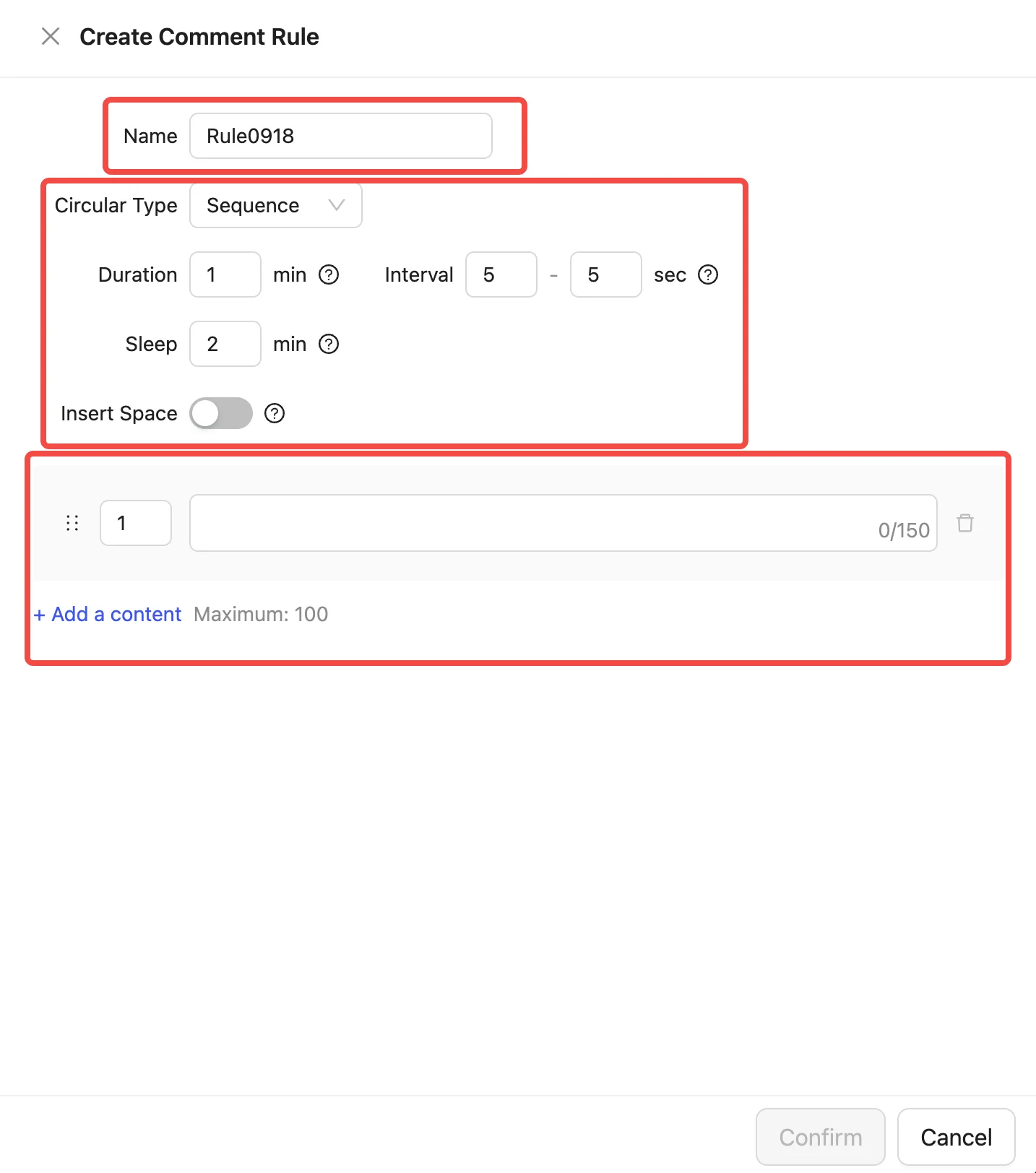
Step 1. Enter the "Comment" page and create a new group

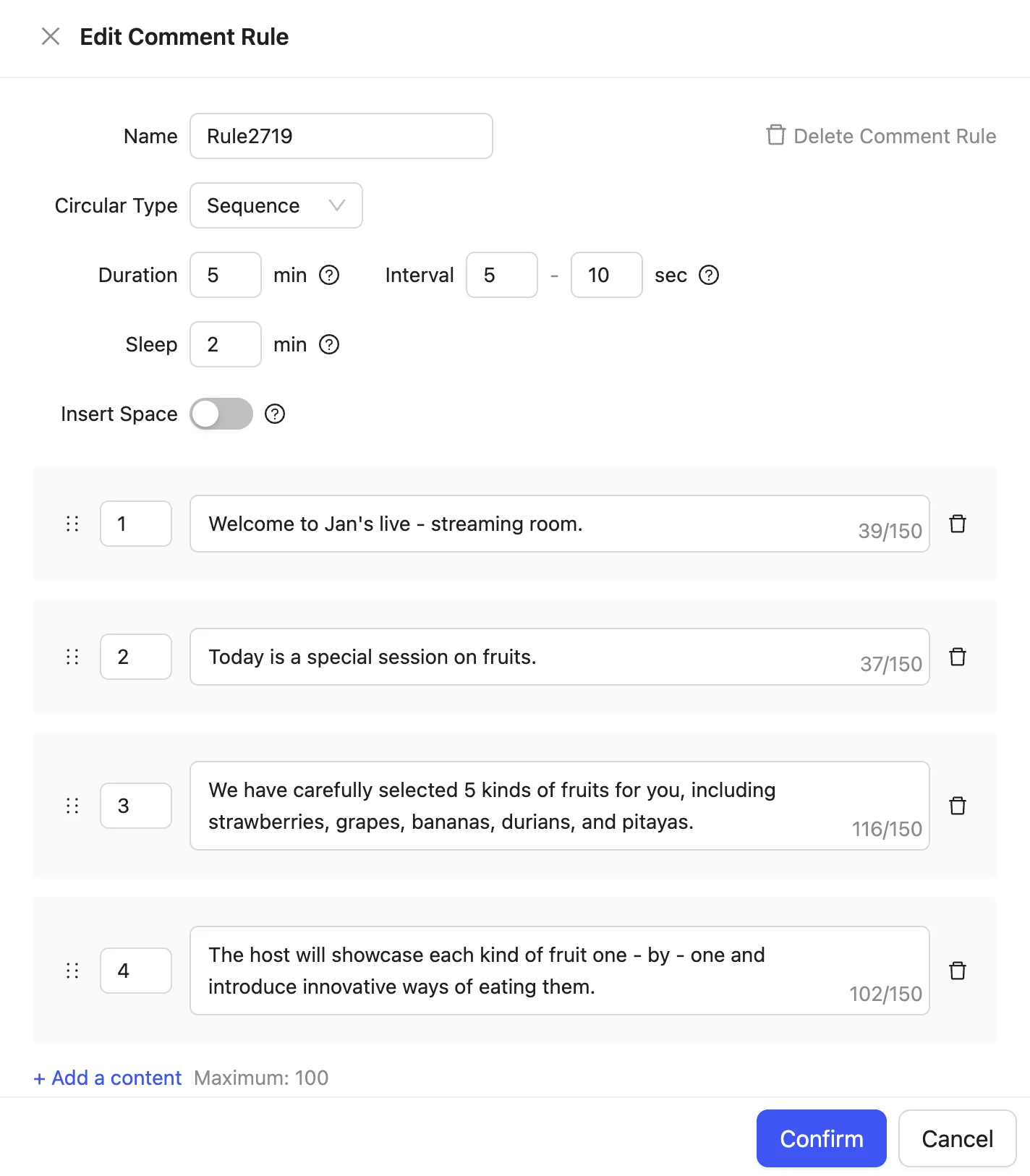
Step 2. Set the parameters
- Name: used to distinguish different comment groups.
- Group parameters:
- Circular type: "Sequence" posts comments one by one in the order entered below; "Random" picks one comment from the list at random each time.
- Duration: total duration of a single cycle.
- Interval: the gap between one comment and the next.
- Sleep: the pause between cycles.
- Insert Space: when enabled, space characters are randomly inserted into the comment content.
- Comment contents:
- Each entry can hold up to 150 characters (a Chinese character counts as 1).
- A group can hold up to 100 entries.
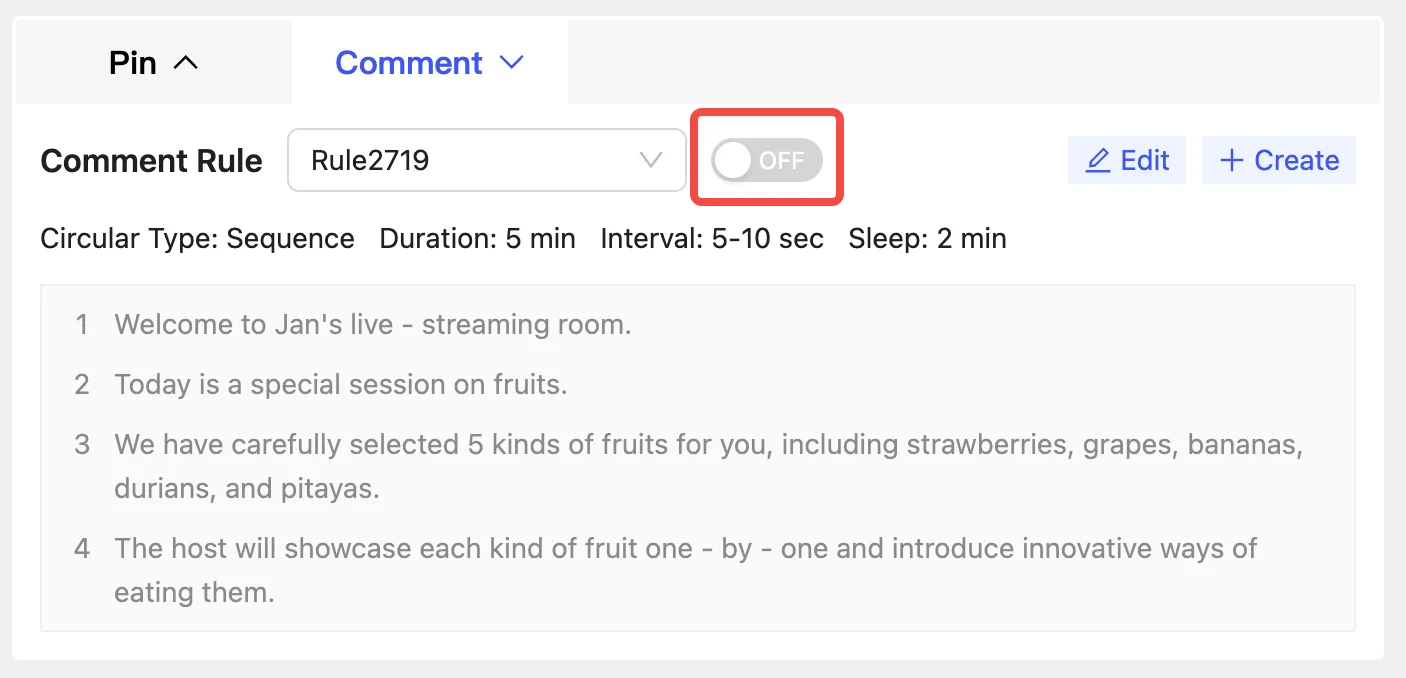
Step 3. Enable the function
Turn the switch on after the live stream starts and the comments are posted automatically.